The jumper comes out, the heating clicks on, and by four o'clock the room is dim enough that you are squinting at your own reflection in the screen. Nothing about your desk has moved, yet somehow the setup that felt fine in September now feels cramped, cold and slightly wrong. That is not your imagination. Winter changes what you wear, how you sit and how much light you have to work with — and all three have a direct effect on your posture.
The good news is that none of it takes long to fix. A ten-minute re-tune, repeated once as the season turns and once when it lifts, will do more for your comfort than any new chair.
Most desk adjustments are made once, on a warm afternoon, in a thin shirt and flat shoes. Then the variables shift. You add a base layer, a jumper and possibly a cardigan, which changes the shape of your back and the height of your shoulders. You swap trainers for thick-soled boots or padded slippers, which changes the length of your legs. You sit for longer without a break because it is too cold to wander outside. And the light, which was doing half the work of keeping you alert, disappears by mid-afternoon.
None of these is dramatic on its own. Together, they are the reason your neck aches by Thursday.
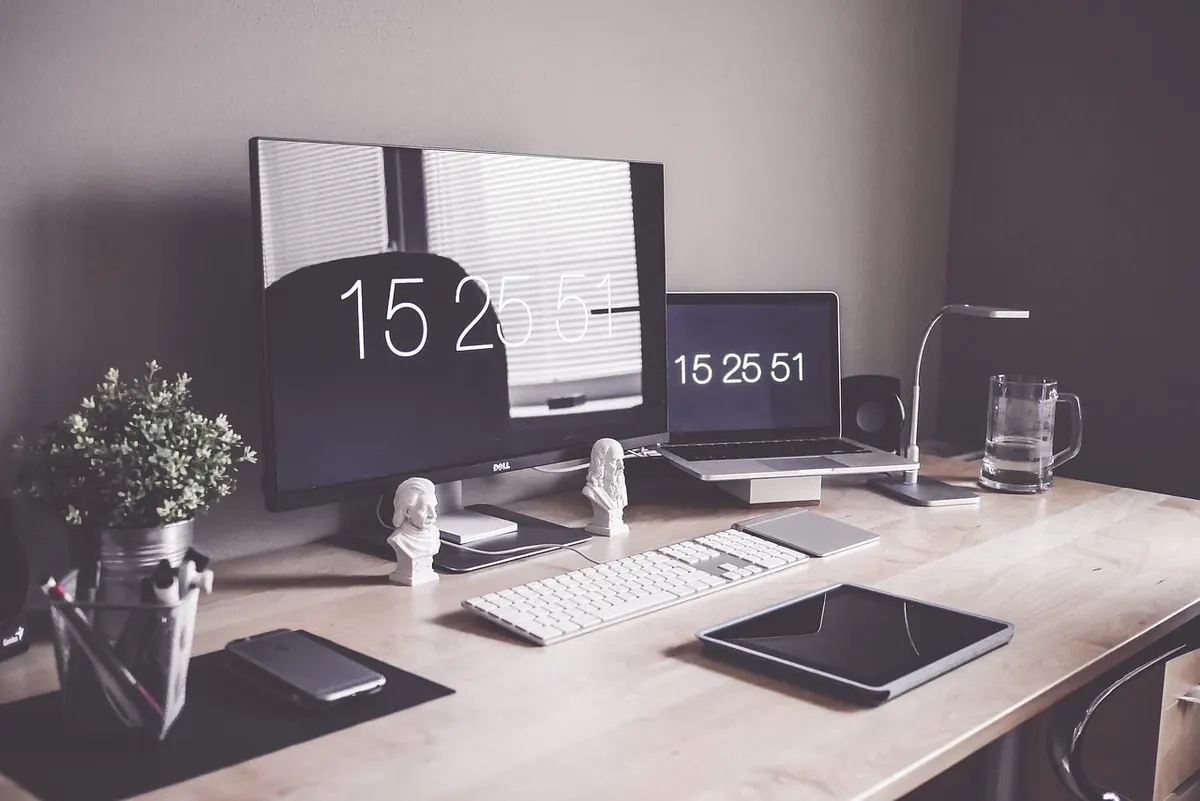
Start with the version of yourself who sits down at 4pm, not the idealised one from the summer. Sit back in the chair, close your eyes, let your shoulders drop, then open them. Where did you look? That is roughly where the middle of your screen should be. In practice this usually means the top edge of the monitor sitting just below eye level, at about arm's length.
Winter shifts this in two directions at once. Cold makes some people huddle and lean back; others perch forward on the edge of the seat with their arms tucked in. Both change your eye height and your viewing distance. If you have raised your monitor, or nudged it closer to compensate for leaning in, it is probably now a touch too high and too near.
Tilting the screen back slightly — around ten to fifteen degrees — often works better than raising it, because you view it through the lower part of the lens rather than tipping your chin up. If you find yourself constantly jutting your head forward or tipping it back to find focus, that is a conversation for your optician rather than another cushion.
Hold one arm out straight. Your knuckles should land just short of the screen. If your fingertips touch glass, sit further back — or move the monitor away, whichever is easier given the wall behind it.
A thick jumper adds fabric between your back and the backrest. That sounds trivial until you notice that it pushes you forward, away from the lumbar support you carefully set in spring. The fix is small but real: move the lumbar pad up a notch, reduce the seat depth slightly, or slacken the backrest so it can still meet your spine.
Keep a note of two seat heights if you need to: one for outdoor shoes, one for slippers. It takes seconds to change and saves you a fortnight of low-grade stiffness.
Between about three and five o'clock, the balance in the room flips. The window becomes a black rectangle, the screen becomes the brightest object in your line of sight, and your monitor quietly turns into a mirror. If you can see the room reflected in the glass, so can your eyes, and that is tiring in a way that is hard to name.
A few adjustments sort most of it:
The old guideline still holds: every twenty minutes, look at something about six metres away for twenty seconds. In winter it is easier to remember, because there is usually a window you would rather be looking through anyway. If eye strain or headaches persist, see an optician rather than adjusting your desk again.
Cold fingers make you grip the mouse harder and type more stiffly, and a cold floor makes you curl your feet back under the chair, which pulls your whole pelvis out of position. A footstool or a thick mat under the desk, a mug within reach and a warm layer over the shoulders will do more for your posture than any reminder to sit up straight.
A setup that fits a summer shirt rarely fits a winter jumper. Ten minutes with an Allen key and a lamp is cheaper than a season of discomfort.
Thin fingerless gloves can help if your hands genuinely ache, though most people find they lose the feel of the keys. Keep the room warm instead, and take a proper break every hour to stand and move around — circulation is the real fix.
Do this sitting exactly as you will sit on a dark Tuesday afternoon: jumper on, slippers on, mug in place.
Then leave it alone for a fortnight and see how you feel. If niggles in your neck, wrists or shoulders persist despite a sensible setup, it is worth speaking to a physiotherapist or your GP rather than continuing to tinker. Furniture can only do so much, and the last thing you want is to spend the shortest days of the year stiff and sore at a desk you have stopped noticing.
Photo: theglassdesk / Pixabay